
Color Label Printers
Epson ColorWorks CW-D3800 vs. CW-C4000: Which Printer Is Right for You?
Jul
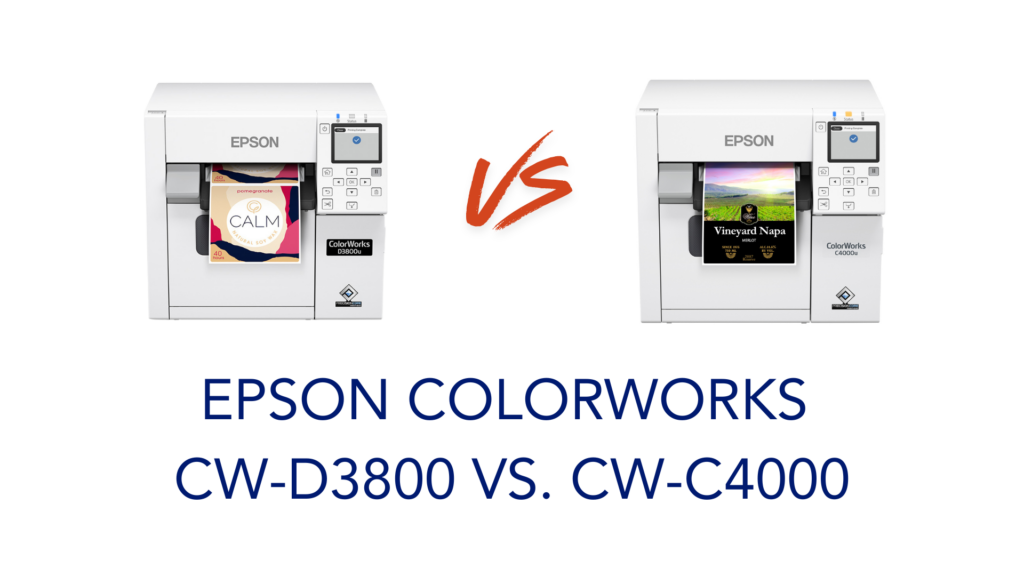
Epson just added a new entry to its ColorWorks lineup: the CW-D3800. If you’ve been looking at the CW-C4000 and wondering whether this new model changes anything, the answer is: it depends on what you need.
From the outside, these two printers look nearly identical. Same compact footprint, same 4.25″ max print width, same ZPL II and ESC/Label support, same OS compatibility. But there are some real differences under the hood, and the price gap (nearly $1,000) is not random. Here’s what’s actually different.
The Core Difference: Ink Type
This is the most important distinction between the two printers, and it drives most of the other tradeoffs.
The D3800 uses dye ink. The C4000 uses pigment ink.
Dye ink produces vivid, bright colors and works great on a wide range of standard label materials. It’s excellent for indoor use, product labels, visitor badges, packaging labels, and food service applications where labels aren’t exposed to water, chemicals, or prolonged outdoor conditions.
Pigment ink is more durable. It resists water, UV exposure, and abrasion better than dye ink. The C4000 comes in two versions: Gloss and Matte. The Gloss model uses black ink optimized for glossy label media, which works on the widest variety of substrates. The Matte model uses black ink formulated for matte surfaces. The Gloss version is also BS-5609 certified when used with compatible poly media, a standard that matters for GHS/HazCom chemical labels and other regulated applications. If your labels need to survive harsh environments, the C4000 is the right call.
Print Resolution
The C4000 maxes out at 1200 x 1200 dpi. The D3800 tops out at 600 x 1200 dpi.
For most everyday label applications, including product labels, badges, QR codes, and to-go order labels, 600 x 1200 dpi is perfectly fine. But if you’re printing very fine details, small text, or high-resolution barcodes for demanding compliance requirements, the C4000’s higher resolution gives you more headroom.
Ink Cartridge Capacity
The D3800 uses 40 mL cartridges. The C4000 uses 50 mL cartridges. More ink per cartridge on the C4000 means slightly fewer interruptions on higher-volume runs, which connects back to who each printer is built for.
Cloud Printing
The C4000 supports cloud printing. The D3800 does not. Both support optional Wi-Fi (the D3800 via the OT-WL06 dongle), so you can print from mobile devices on either, but if cloud-based print management is part of your workflow, the C4000 is the one to look at.
Volume and Use Case
Epson positions the D3800 for up to 50 labels per day. The C4000 is built for higher volume: anything above 50 labels per day, more demanding duty cycles, or environments where durability matters.
For a small retail shop, a farmers market vendor, a restaurant printing to-go labels, or an office printing visitor badges on demand, the D3800 is a solid fit. For a warehouse, a pharmacy, a manufacturer printing GHS labels, or any operation running labels all day, the C4000 is the right tool.
Quick Comparison
| CW-D3800 | CW-C4000 | |
|---|---|---|
| Ink Type | Dye | Pigment |
| Max Resolution | 600 x 1200 dpi | 1200 x 1200 dpi |
| Cartridge Capacity | 40 mL | 50 mL |
| Cloud Printing | No | Yes |
| Designed For | Up to 50 labels/day | 50+ labels/day |
| Best For | Indoor, standard media | Durable, high-volume, regulated |
| Price | $1,499.00 | $2,492.00 |
Which One Should You Buy?
Go with the CW-D3800 if:
- You print fewer than 50 labels per day
- Your labels are used indoors and don’t need to be waterproof or chemical-resistant
- Budget is a priority and you don’t need the extra durability of pigment ink
- You’re printing visitor badges, food labels, product labels, or packaging
Go with the CW-C4000 if:
- You print more than 50 labels per day
- You need durable labels that hold up to moisture, abrasion, or outdoor exposure
- You’re printing GHS/HazCom labels or need BS-5609 certification
- Cloud printing or remote fleet management is part of your workflow
Both printers use the same compact form factor, support roll and fanfold media, and include a color LCD screen and Nozzle Verification Technology. You’re not giving up the core ColorWorks experience with either one.
Browse all Epson ColorWorks label printers to compare the full lineup, or shop ink cartridges for the CW-D3800 and CW-C4000 at Pacific Barcode.
