Labeling Software That Actually Fits Your Operation
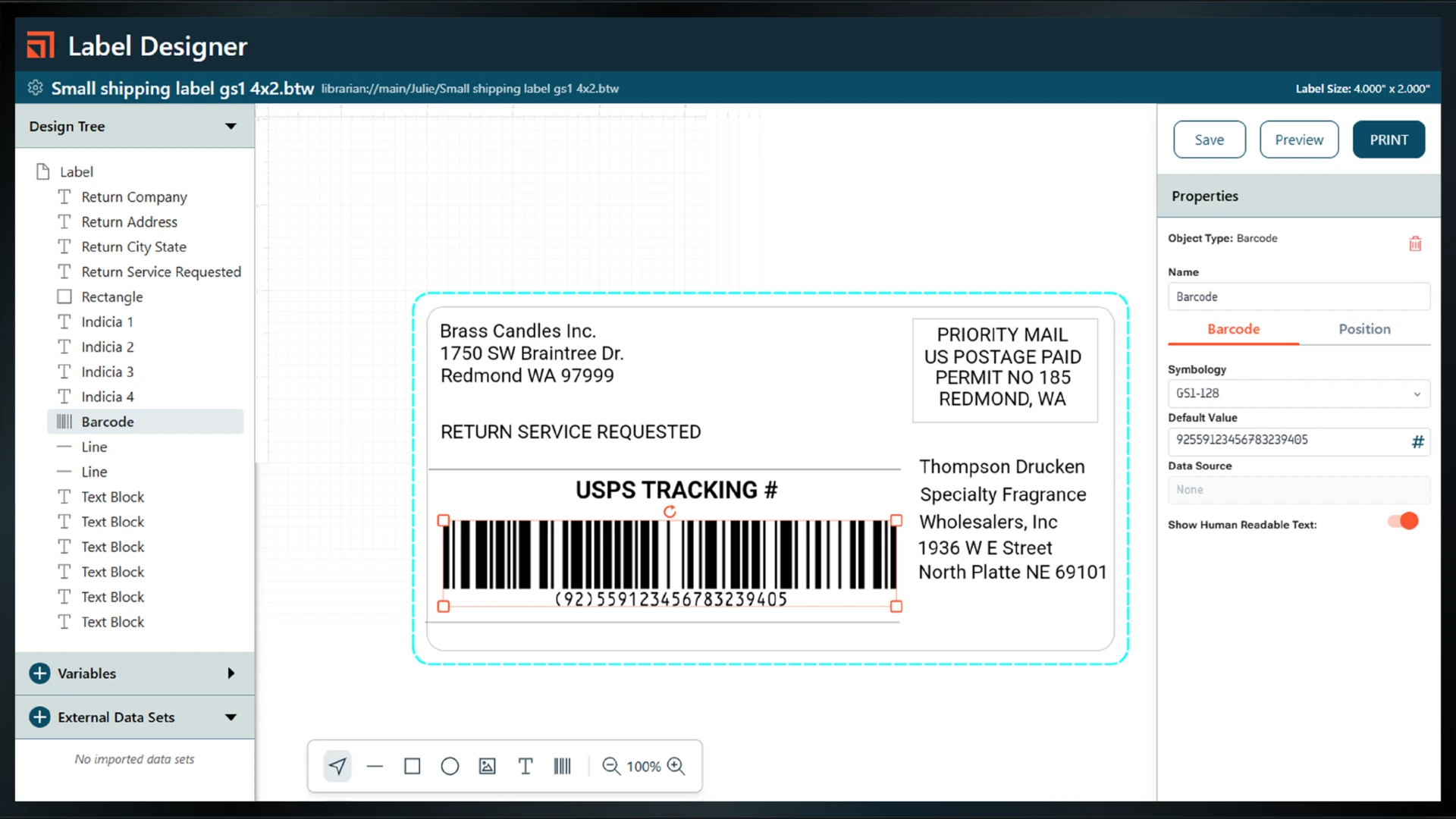


A lot of small and mid-size businesses are printing labels the same way they were five years ago. Maybe it’s a Word or Excel template someone built internally. Maybe it’s the basic design tool that came bundled with your printer. Maybe one person on your team “owns” the label files, and everyone just hopes nothing breaks when they’re out sick. That setup works until it doesn’t.
Here’s where manual label processes tend to break down:

You can’t easily tell if something went wrong.
If a batch of labels printed incorrectly, when did you find out? At your shipping dock, or at your customer’s?
Adding variable data is a project, not a process.
Need to start printing expiration dates? Adding a new SKU? Changing a barcode type for a retailer requirement? With manual tools, small changes take longer than they should.
Someone has to retype the same data in multiple places.
Product name in your system, product name on the label. Lot number in your ERP, lot number typed manually into the template. Every time that happens, there’s a chance for a mismatch.
Label templates live on one person’s computer.
When that person leaves, nobody knows what version is current or where the files actually are.
Professional labeling software doesn’t require a big IT project to get started. Most of the platforms we carry are designed so that a small team can be up and running in a day or two. Your labels become connected to your data, managed centrally, and consistent every time, without depending on one person or one template file to hold everything together.
Here’s a quick way to narrow it down. These aren’t hard rules, but they’re a reliable starting point.
| If this sounds like your situation… | You should look at… |
|---|---|
| You need a straightforward desktop solution for label design and printing, with easy database connections and a short learning curve | LABELVIEW by TEKLYNX |
| You need GS1-compliant barcodes, RFID support, or label management across multiple locations or product lines | BarTender by Seagull Scientific |
| You have multiple sites or supply chain partners and need centralized, cloud-based label control with ERP integration | Loftware |
| You’re already running SAP, Oracle, Microsoft Dynamics, or another major ERP and want labeling to be a native part of that environment | Secure Label by RFgen |
Not sure which row fits you? That’s what our team is for.

Easy to learn and built to grow with you
LABELVIEW is a Windows-based label design application made by TEKLYNX. It’s aimed at businesses that are moving beyond manual label creation and want a proper tool, one that connects to databases, handles variable data, and produces professional, accurate labels without requiring IT involvement to operate day-to-day.
It comes in two editions. LABELVIEW Pro handles manual data input, database connections, and standard label design. LABELVIEW Gold adds advanced tools like Form Designer, VBScript support, REST API connectivity, and a customizable print interface.

The industry standard for professional label design, print management, and compliance
BarTender is one of the most widely used labeling platforms in the world, with over 250,000 customers across manufacturing, food and beverage, pharmaceutical, medical devices, logistics, and retail. It’s built for businesses that take labeling seriously, where accuracy, compliance, and scale all matter.
The latest version, BarTender 12, runs on-premises, in the cloud, or both. It handles everything from label design and template management to print automation and RFID encoding. For businesses preparing for GS1 Sunrise 2027, BarTender has native GS1 Digital Link support built in.

Cloud-based label management for multi-site operations and complex supply chains
Loftware Cloud is built for organizations that have outgrown a single-site labeling setup. If you’re managing labeling across multiple facilities, extending it to suppliers or contract manufacturers, or operating in a regulated industry with strict compliance requirements, Loftware is worth a close look.
It’s fully hosted in the cloud, no servers to maintain, no IT infrastructure to manage. Business users can design and update labels without involving IT. And because everything lives in one central system, every site, supplier, and team member is always working from the same templates.

ERP-connected labeling with flat-rate pricing and zero-trust security
Secure Label is RFgen’s labeling solution, built on the same platform the company has used to power mobile data collection and ERP integration for over 40 years. If your operation runs on SAP, Oracle, Microsoft Dynamics, or Deltek Costpoint, Secure Label is designed to plug directly into those systems, not through a workaround or custom connector, but through certified native integrations.
The pricing model is different from most labeling software: instead of per-seat licensing that grows with your headcount, Secure Label uses flat-rate pricing. The security architecture is also notable, it’s built on a zero-trust model, which is relevant for operations where data security is a requirement, not just a preference.
That’s a fair place to be. The difference between these platforms isn’t always obvious from a product page, and picking the wrong one means either paying for features you don’t need or hitting limitations sooner than you should.
Our team has helped businesses across manufacturing, distribution, food production, and retail work through this. If you tell us a little about your operation, how many printers you’re running, what kind of data you’re printing, whether you’re tied to an ERP, we can usually point you in the right direction pretty quickly.
No pressure. Just a straight conversation.

Fill out the form below and one of our labeling specialists will follow up, usually within one business day.
Possibly, yes. The number of printers isn’t really the deciding factor. What matters more is whether you’re dealing with variable data like lot numbers, expiration dates, or SKUs that change, whether your labels need to pull from a database or ERP, and whether label accuracy is something you can afford to get wrong. A single-printer operation in food or pharma often has more to gain from proper labeling software than a warehouse running ten printers on a simple, static layout.
Yes, all four platforms we carry support data connections. LABELVIEW and BarTender both connect to Excel, SQL databases, and other sources directly. BarTender and Loftware also integrate with SAP, Oracle, and Microsoft Dynamics. Secure Label by RFgen goes a step further with certified native ERP integrations built specifically for those systems. The right choice depends on which ERP you’re running and how tightly you need labeling to connect to it.
For most small to mid-size businesses, it’s faster than people expect. LABELVIEW and BarTender both offer 30-day free trials, and many users are designing and printing production labels within a day or two of installation. Larger deployments involving ERP integration or multi-site rollouts take longer, but the software itself isn’t the bottleneck. It’s usually the template design and data connection setup that takes the most time.
In most cases, no. The labeling software platforms we carry work with a wide range of printers, including Zebra, Epson, Afinia, and VIPColor, which are printers Pacific Barcode also sells and supports. If you’re unsure whether your current printer is compatible, reach out and we’ll check for you.
On-premises software runs on your own computers or servers. You control the installation, the data, and the updates. Cloud-based software is hosted and managed by the vendor, so there’s nothing to install or maintain on your end, and updates happen automatically. BarTender offers both options and lets you run them simultaneously. Loftware Cloud is fully cloud-based. LABELVIEW is desktop only. The right model depends on your IT setup, your security requirements, and how much control you want over the software environment.
BarTender and Loftware both have native GS1 Digital Link support, which is what you need to generate compliant 2D barcodes for GS1 Sunrise 2027. LABELVIEW supports over 100 barcode symbologies including GS1 formats. If Sunrise 2027 compliance is a specific concern for your business, it’s worth a conversation with our team to make sure your label templates are set up correctly, not just that the software is capable of it.
Yes. We’re not just a reseller. We work with customers through the setup process, including template design, data connections, and printer configuration. If you run into issues after the sale, we’re reachable by phone and email. That’s part of why working with an authorized reseller makes more sense than buying direct from a vendor’s website for many businesses.
Pacific Barcode works with manufacturers, distributors, food producers, and consumer goods brands across North America. In that time, we’ve helped a lot of businesses upgrade how they handle labeling, and we’ve seen what happens when the wrong tool gets picked, or when the decision gets delayed longer than it should.
We’re an authorized reseller for every platform on this page. We don’t have a stake in which one you choose. We just want you to end up with the right one.