

Color label printing
The Ultimate Guide to Epson C6000 Ink Cartridges for High-Quality Label Printing
Feb
In the fast-paced world of label printing, choosing the right consumables can make all the difference in efficiency, durability, and print quality. If you own an Epson ColorWorks C6000 series printer, you already know its power for on-demand color labels. But to get the most out of it, you need the best inks tailored to your needs. As an Epson Platinum Partner, Pacific Barcode offers genuine Epson C6000 ink cartridges that deliver vibrant results and long-lasting performance. This guide covers everything from selecting the right type to installation tips, helping you avoid common pitfalls and maximize your investment.
Why Epson C6000 Ink Cartridges Stand Out in Label Printing
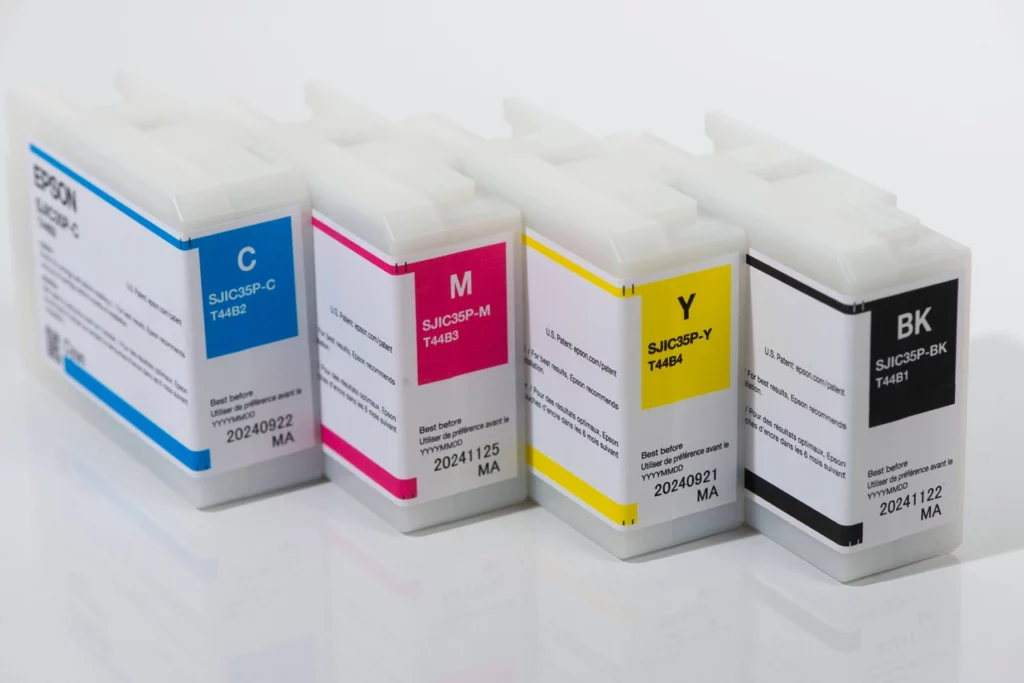
The Epson ColorWorks C6000 series uses pigment-based inks designed for professional-grade labels. Unlike dye-based options, these inks resist fading, water, and chemicals, making them ideal for industries like food packaging, manufacturing, and retail. Available in CMYK sets (Cyan, Magenta, Yellow, Black), they come in gloss or matte finishes to match your substrate.
Key benefits include:
- Durability: BS-5609 certified for chemical resistance, perfect for GHS labels.
- Versatility: Works on paper, synthetic, and textured materials without smudging.
- Efficiency: High-capacity cartridges print up to thousands of labels before replacement, reducing downtime.
Compared to generic alternatives, genuine Epson C6000 ink cartridges ensure consistent color accuracy and prevent printer damage. Users report up to 50% longer print runs with originals, based on industry tests.
Gloss vs Matte: Choosing the Best Inks for Epson ColorWorks C6000 Series
Not all inks are created equal. The C6000 series supports two main types:
- Gloss Inks: Deliver shiny, vibrant finishes on glossy or semi-gloss papers. Ideal for product labels needing eye-catching appeal, like cosmetics or beverages. Black gloss provides deeper contrasts for barcodes.
- Matte Inks: Offer a flat, professional look on matte or textured surfaces. Great for industrial applications where readability matters more than shine, such as warehouse tags.
For example, if your labels face harsh environments, opt for matte to enhance adhesion and scuff resistance. Pacific Barcode stocks both, with bundles including maintenance boxes for easy upkeep.
| Ink Type | Best For | Key Features |
|---|---|---|
| Gloss Black (SJIC35P-BK) | Glossy/coated labels, semi-gloss, high-gloss synthetics, wider media variety | Vibrant finishes, broadest substrate compatibility, ideal for eye-catching product and packaging labels |
| Matte Black (SJIC35P-MK) | Matte/textured papers, plain uncoated, industrial/warehouse tags | Darker blacks, sharper text/images on matte surfaces, enhanced readability and scuff resistance |
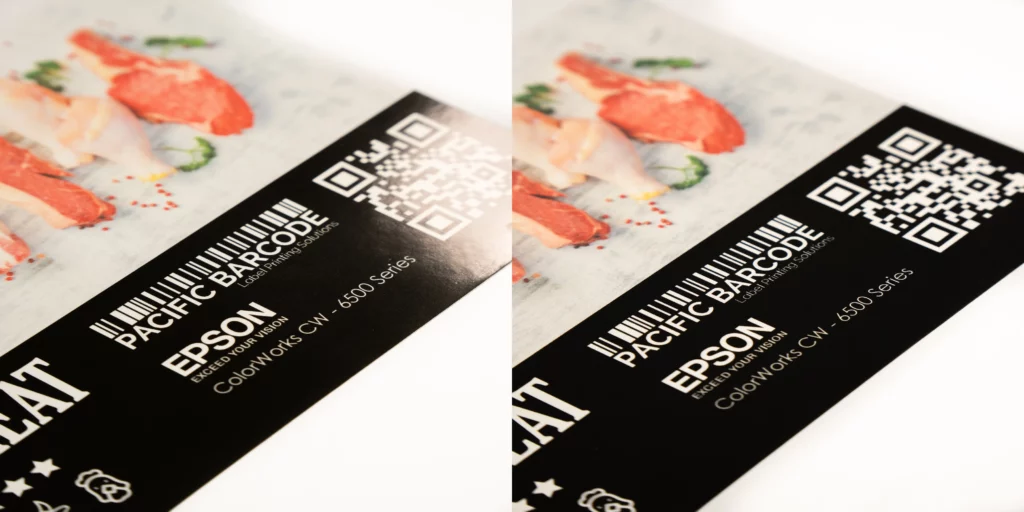
Both types are highly durable, water-resistant, and BS5609 certified (when used with compatible media), making them suitable for industrial, chemical, and compliance labeling.
Pro Tip: Match inks to your media. Gloss works best on coated papers, while matte excels on synthetics.
Step-by-Step: How to Replace Ink in Epson C6000 Printer
Replacing Epson C6000 ink cartridges is straightforward and takes under five minutes. Follow these steps for seamless operation:
- Power on your printer and open the ink compartment.
- Remove the empty cartridge by pressing the release tab.
- Unpack the new genuine Epson cartridge and shake it gently.
- Insert it until it clicks, then close the cover.
- Run a nozzle check via the printer menu to ensure alignment.
Always use authentic consumables to avoid voiding your warranty.
Common Mistakes to Avoid with Epson C6000 Consumables
- Using Non-Genuine or Third-Party Inks: Compatible or refilled cartridges often cause nozzle clogs, inconsistent colors, reduced print durability, and potential printhead damage. Epson warns that non-genuine inks void warranty coverage for related repairs. Always choose authentic Epson C6000 ink cartridges for reliable performance and compliance (e.g., BS5609 certification on compatible media). Browse genuine Epson C6000 inks here.
- Incorrect Initial Ink Type Selection: The printer prompts you to choose gloss or matte black ink during first-time setup and ink charging. This choice is permanent for normal operation, as switching later isn’t supported without professional intervention. Double-check your label media needs (glossy/coated vs. matte/textured) before initial charging to match the right black ink type.
- Neglecting Nozzle Checks and Cleaning Cycles: Skipping regular nozzle checks can lead to clogs from dried ink or air bubbles, causing white banding, missing colors, or poor print quality. Run a nozzle check pattern monthly (or after long idle periods) via the operation panel or driver, and perform head cleaning only when needed to avoid wasting ink.
By sticking to genuine Epson C6000 ink cartridges, you ensure reliability and compliance with standards like FDA for food contact.
Boost Your Label Production Today
Ready to elevate your printing? Pacific Barcode has Epson C6000 ink cartridges in stock, with fast shipping and expert support. Browse our Epson C6000 Ink Cartridges or contact us for custom bundles. Investing in quality consumables means fewer reprints and happier customers.
