


Barcodes
How to Generate a Barcode (Step-by-Step Guide)
Mar
Barcodes are everywhere, from warehouse racking and product packaging to shipping labels and retail checkout systems. They allow businesses to capture data quickly, reduce human error, and track products throughout their lifecycle.
If you’re wondering how to generate a barcode, the process is actually straightforward. Whether you need a barcode for inventory management, product labeling, or asset tracking, the steps below will help you get started.
Step 1: Decide What Type of Barcode You Need
The first step is choosing the correct barcode symbology (the barcode format). Different barcode types store different kinds of information.
Common examples include:
-
Code 128 – Widely used for shipping labels and warehouse inventory.
-
Code 39 – Often used in manufacturing and defense applications.
-
UPC-A – Standard retail barcode used on consumer products.
-
EAN-13 – International retail barcode used outside the U.S.
-
QR Codes – 2D barcodes used for URLs, marketing, and mobile scanning.
For most industrial and warehouse applications, Code 128 is the most common because it supports alphanumeric data and is very space efficient.
Step 2: Determine the Data the Barcode Will Contain
A barcode simply represents data in a scannable format. Before generating one, you must determine what information you want encoded.
Examples include:
-
Product SKU numbers
-
Serial numbers
-
Location IDs
-
Lot or batch numbers
-
Asset IDs
-
Tracking numbers
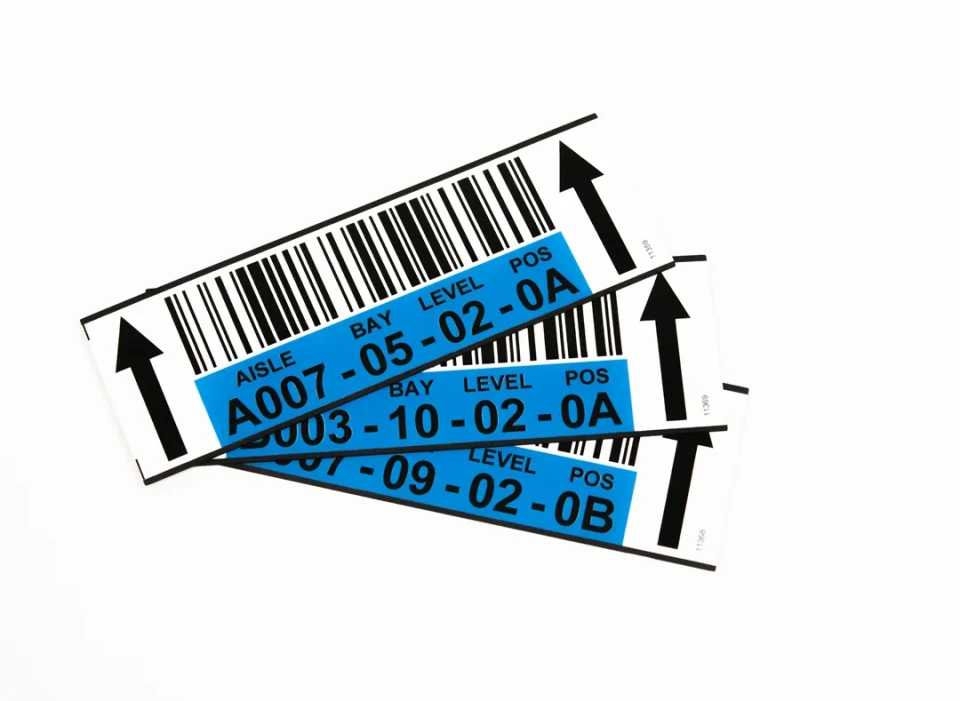
For example, a warehouse bin label might encode: A-01-04-02
This location code would then be translated into a barcode that scanners can read instantly.
Step 3: Use a Barcode Generator
Once you know the barcode type and the data you want encoded, you can generate the barcode using software.
There are several ways to do this:
Online Barcode Generators
-
Free web-based tools
-
Quick for small quantities
-
Export barcodes as PNG, SVG, or PDF files
Label Design Software
-
Used for large-scale labeling and automation
-
Can integrate with databases and ERP systems
Custom Applications
-
Developers can generate barcodes using APIs or programming libraries
-
Common in enterprise software systems
You simply enter the data, select the barcode type, and the software will automatically generate the barcode image.
Step 4: Verify Barcode Size and Quality
A barcode must meet certain standards to ensure scanners can read it reliably.
Key factors include:
-
Barcode width and height
-
Quiet zones (blank space around the barcode)
-
Print resolution
-
Color contrast (typically black bars on a white background)
If a barcode is too small, poorly printed, or lacks contrast, scanners may struggle to read it.
For critical applications, such as product packaging or regulatory labeling, it’s best practice to verify the barcode quality before full production.
Step 5: Print the Barcode Label
After generating the barcode image, it needs to be printed on a label or product package.
Common printing methods include:
-
Thermal Transfer Printing – Durable labels for industrial environments.
-
Direct Thermal Printing – Used for shipping labels and short-term applications.
-
Color Inkjet Printing – Ideal for color labels and product packaging.
The choice depends on the environment, durability requirements, and label materials.
For example:
-
Warehouses often use polyester or synthetic labels for durability.
-
Consumer packaging often uses color inkjet labels.
Step 6: Test the Barcode with a Scanner
Before deploying barcodes into production, it’s important to test them.
Simply scan the barcode with a barcode scanner or mobile scanning app to confirm:
-
The correct data appears
-
The barcode scans consistently
-
The label material and print quality work in your environment
Testing prevents costly mistakes, especially when printing large volumes of labels.
Final Thoughts
Generating a barcode is a simple process when you follow the right steps:
-
Choose the correct barcode type
-
Decide what data to encode
-
Generate the barcode using software
-
Ensure proper size and print quality
-
Print the label
-
Test the barcode with a scanner
When done correctly, barcodes become a powerful tool for inventory accuracy, operational efficiency, and traceability.
For businesses managing products, warehouses, or assets, barcode labeling is one of the fastest ways to improve data accuracy and streamline operations.
