

Color label printing
Beginner’s Guide to Color Label Printing for Small Businesses
Mar
Color label printing for small businesses has never been easier or more affordable. If you run a craft business, sell handmade soaps, bottle your own sauces, or ship custom products, professional-looking color labels can make your items stand out on shelves and online. This beginner’s guide explains everything you need to know to start printing vibrant, eye-catching labels in-house without expensive outsourcing.
What Is Color Label Printing?
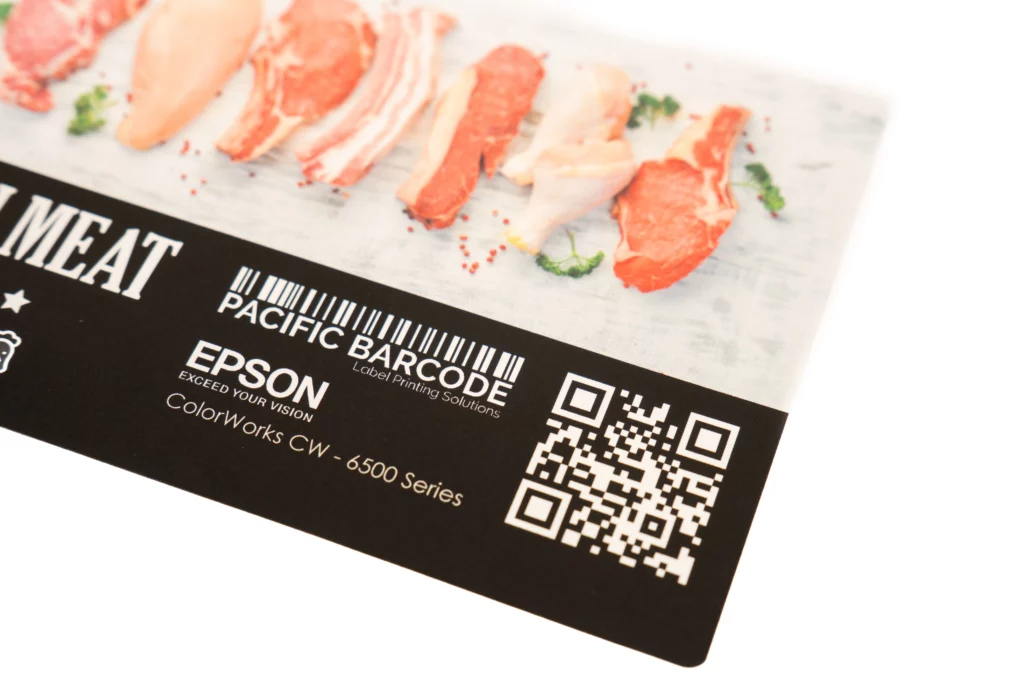
Color label printing means creating full-color labels directly from your computer using a desktop or small-business label printer. Unlike old black-and-white thermal printers that only handle text and barcodes, modern color label printers use inkjet or laser technology to produce photos, logos, gradients, and brand colors in one pass.
For small businesses, this technology removes the need to order minimum runs of 500 or 1,000 identical labels from a print shop. You print exactly what you need, when you need it, even just 10 labels for a new product test run.
Why Small Businesses Should Switch to In-House Color Label Printing
- Get labels the same day instead of waiting 7–14 days
- Change designs instantly for seasonal products or promotions
- Print variable data like batch numbers, dates, or personalized messages
- Keep full control over quality and branding
Choosing Your First Color Label Printer
For beginners, inkjet color label printers are the best starting point. They offer excellent photo quality, low initial cost, and easy setup.
Top recommendations for small businesses in 2026:
- Epson ColorWorks CW-C6000 series – prints up to 4 inches wide at 4.5 inches per second with outstanding color accuracy and pigment inks for durable results.
- Epson ColorWorks CW-C4000 – compact, reliable, and perfect for bottles, jars, and smaller product runs. Ideal first printer for startups.
- Afinia L502 – uses HP Thermal Inkjet technology with DuraPrime Duo Ink capability. Switch between dye inks for vivid colors or pigment inks for waterproof durability. High-speed and rugged build make it perfect for growing small businesses.
Look for printers that accept roll labels or fanfold sheets and support pigment inks for waterproof, smudge-proof results.
Label Materials That Work Best with Color Printing
Your choice of labels matters more than the printer. Use high-quality inkjet labels designed specifically for color printing:
- Glossy inkjet labels – vibrant colors, premium look for food and beauty products
- Matte inkjet labels – easy to write on, great for retail price tags
- Waterproof polypropylene inkjet labels – ideal for bottles, outdoor use, or freezer items
- Clear inkjet labels – invisible “no-label” look for premium packaging
Pacific Barcode carries compatible inkjet labels in dozens of sizes that work perfectly with all popular color printers. Always match the label coating to your printer’s ink type to avoid smearing.
Design Tips for Professional Color Labels
Keep designs simple but bold:
- Use 2–3 brand colors maximum
- Make product name 40% larger than other text
- Add high-resolution logo
- Include required info: ingredients, weight, barcode, QR code
Test print on actual labels before ordering large quantities. Colors on screen almost always look different on printed labels.
Printing Process: From Design to Finished Label
Open your design software → Load label template → Import artwork → Adjust colors for print → Feed blank labels → Print → Cut or tear → Apply to product.
Most small businesses produce labels on-demand in batches of 10–500. Affordable inkjet systems deliver professional results quickly, letting you respond to trends, customer feedback, or urgent orders without delays.
Finishing Your Printed Labels
For a polished look, add these finishing steps:
- Use a digital label finisher to contour-cut around irregular shapes
- Laminate for extra protection and shine
- Slit and rewind into clean rolls for easy application
Entry-level finishing systems let you complete the entire job in-house.
Common Beginner Mistakes
- Buying cheap off-brand ink (clogs heads and fades fast)
- Designing without checking actual label size (text gets cut off)
- Forgetting to order labels for testing
Start small, test everything, and scale up.
Color label printing for small businesses removes the biggest barrier to professional branding: high minimum orders and long wait times. With the right inkjet labels, printer, and a few hours of practice, you can produce store-quality labels that help your products sell themselves.
Start small, learn as you go, and watch your brand look grow. Your customers will notice the difference immediately.
